
Genie Backup Manager Pro8.0 - Download
You'll be able to download in few seconds.
Publisher Description
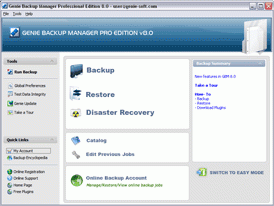
Genie Backup Manager Professional is a total system and data protection solution that combines ease-of-use and robust performance. It allows users to perform fast backup and recovery jobs reliably, and protects all MS Windows based desktops, laptops, and networked systems against various types of threats such as system failure, human error, and disaster.
GBM Pro V8.0; equipped with Windows Vista compatible disaster recovery feature, guarantees your business continuity by backing up your whole system (Operating System, Applications, Documents, E-mails, Settings, Desktop, Files/Folders, MS Outlook, and Win Mail, etc) and offering faster and easier recovery without the need for MS Windows installation CD, through a clear cut wizard-based interface.
With GBM Pro V8.0, users can backup their data to virtually any storage destination including: Local/LAN location, Removable Media Devices (USB, REV disks, Floppy disks, etc), Remote location using FTP, CD/DVD media, Tape Drives offering better data management and greater data availability.
GBM Pro V8.0 delivers higher reliability as it packs everything under one roof by providing a built-in open/used files backup agent together with an easy-to-use smart backup scheduler where users can set GBM to perform different backup jobs in different times and intervals, snooze or even pause scheduled backup(s), and prompt GBM to postpone backup if the system is running on batteries (Laptop Power Optimization Support).
About Genie Backup Manager Pro
This Backup & Restore program is available in English, French, German, Italian, Japanese, Other, Spanish. It was last updated on 29 September, 2026. Genie Backup Manager Pro is compatible with the following operating systems: Windows.
The company that develops Genie Backup Manager Pro is Genie9. The latest version released by its developer is 8.0.
The download we have available for Genie Backup Manager Pro has a file size of 45.1 MB. Just click the green Download button above to start the downloading process. The program is listed on our website since 2007-07-11 and was downloaded 0 times. We have already checked if the download link is safe, however for your own protection we recommend that you scan the downloaded software with your antivirus. Your antivirus may detect the Genie Backup Manager Pro as malware if the download link is broken.
How to install Genie Backup Manager Pro on your Windows device:
- Click on the Download button on our website. This will start the download from the website of the developer.
- Once the Genie Backup Manager Pro is downloaded click on it to start the setup process (assuming you are on a desktop computer).
- When the installation is finished you should be able to see and run the program.
Program Details
General
System requirements
Download information
Pricing
Version History
version 8.0
posted on 2007-07-11
Disaster Recovery,Free Open File Backup Option,Improved Scheduling Capabilities,REV Support
Disclaimer
External Download
We do not host Genie Backup Manager Pro on our servers. We did not scan it for viruses, adware, spyware or other type of malware. This app is hosted by the software publisher and passed their terms and conditions to be listed there. We recommend caution when installing it.
The external download link for Genie Backup Manager Pro is provided to you by apps112.com without any warranties, representations or guarantees of any kind, so access it at your own risk.
If you have questions regarding this particular app contact the publisher directly. For questions about the functionalities of apps112.com contact us.
